# Third Party Platform Embedding
Embedding your FormWise tools into your website, landing page, or client portal allows you to **seamlessly integrate AI-powered SmartForms, CoPilots, and Toolsets** into your business. Whether you're offering interactive AI tools, lead generators, or premium AI services, embedding ensures a **branded, professional user experience** without redirecting users to another platform.
#### **Where to Find the Embed Code in FormWise**
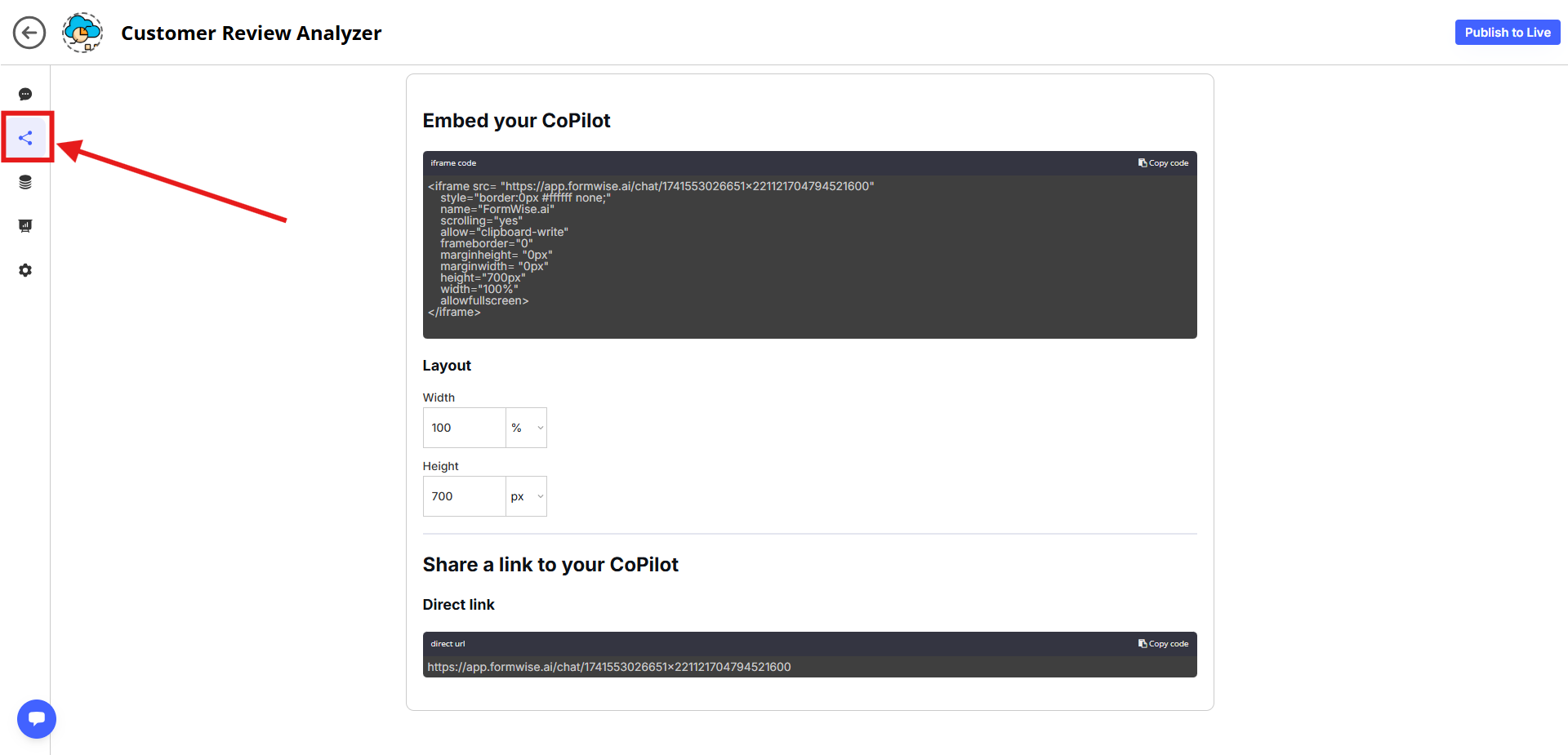
CoPilots
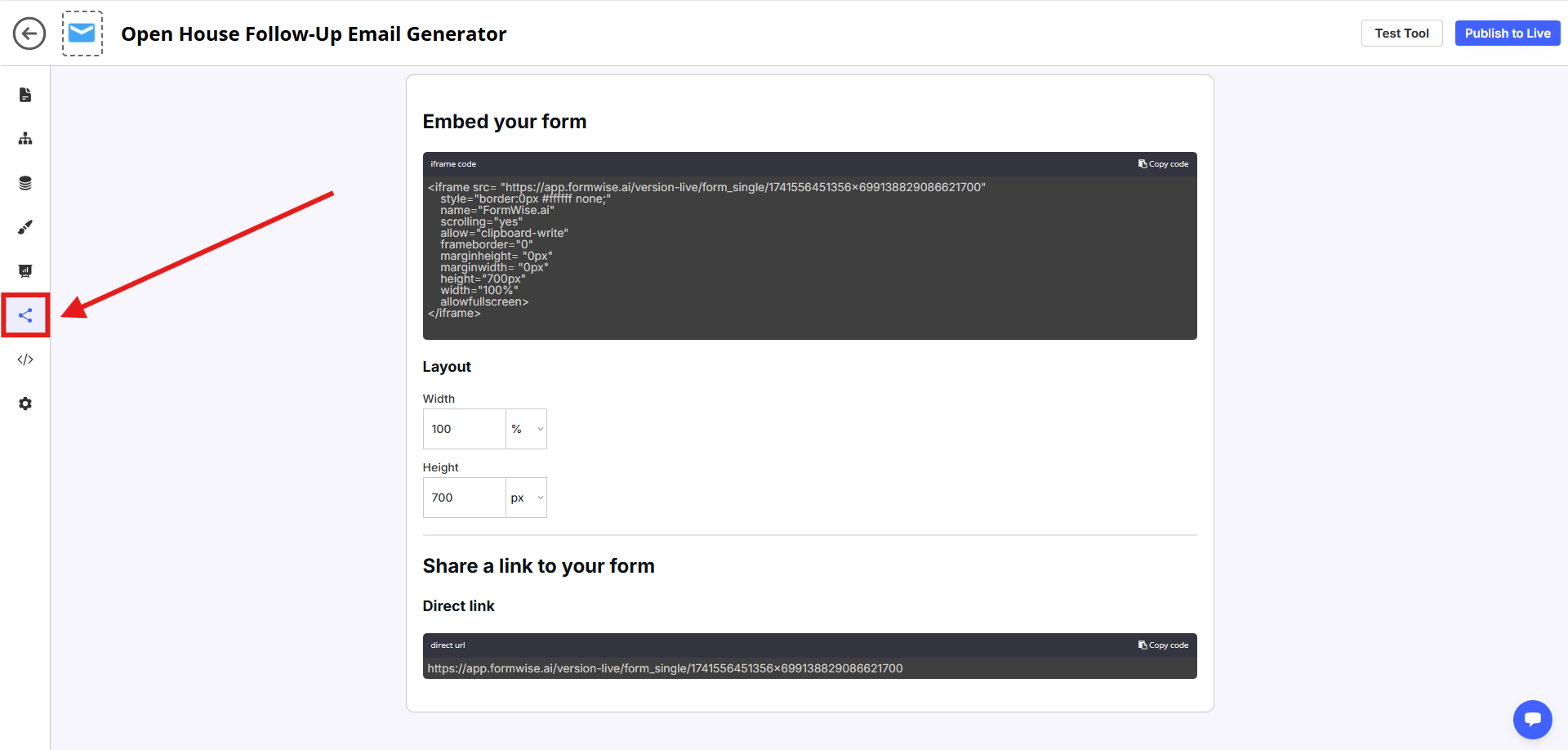
Smartforms
✅ **For SmartForms & CoPilots:**
* Go to the **SmartForm Builder** or **CoPilot Builder**.
* Click on the **"Share" tab** (left-hand menu).
* Copy the **embed code** provided.
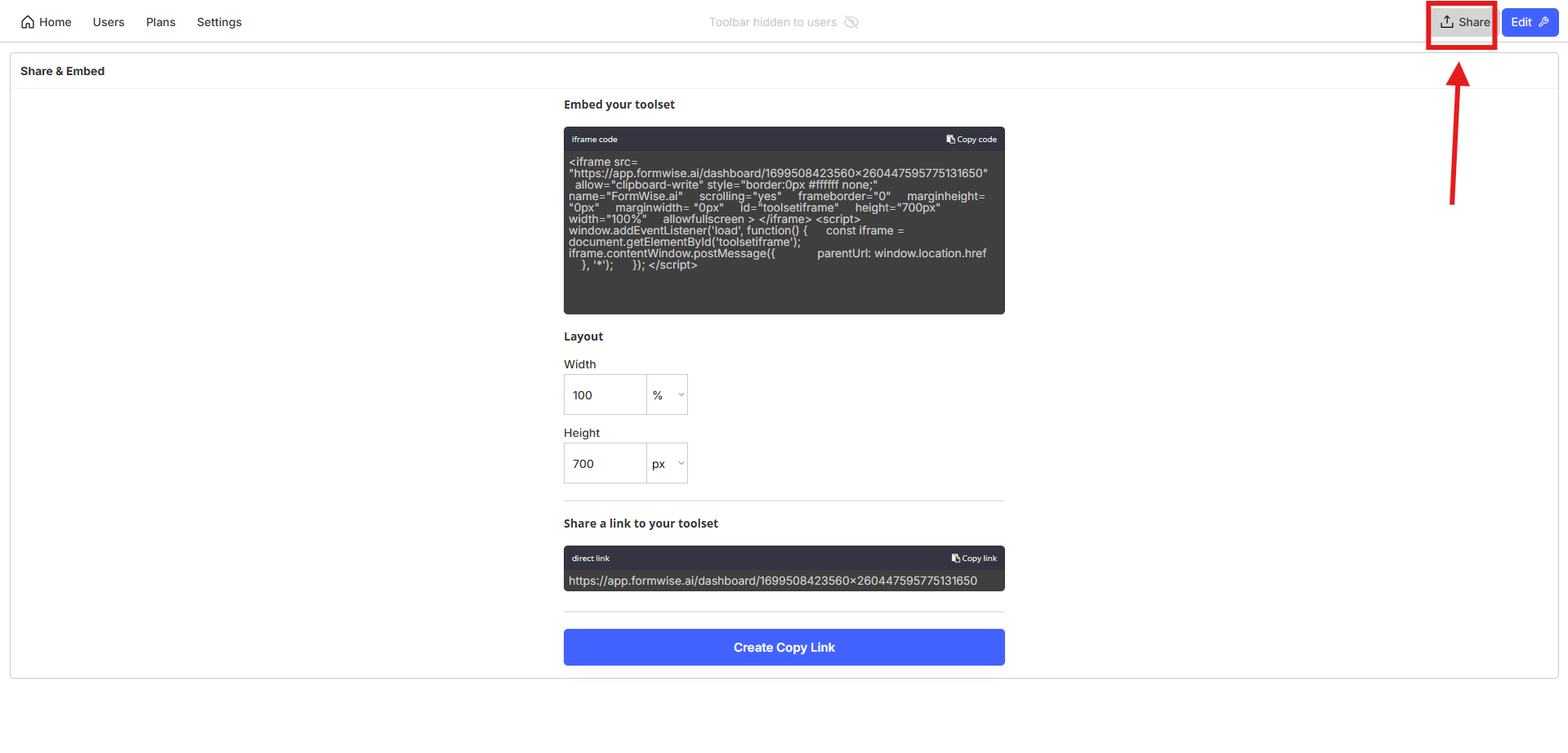
✅ **For Toolsets (Dashboards with Multiple AI Tools):**
* Open the **Toolset Editor**.
* Click on the **"Share" tab** (top-right corner).
* Copy the **Toolset embed code** to integrate the entire dashboard.
***
#### **Where You Can Embed FormWise Tools**
* **Landing pages & websites** (GoHighLevel, WordPress, Webflow, Kajabi, etc.)
* **Client portals & membership sites** (Thinkific, Teachable, Mighty Networks)
* **Internal dashboards** (For team-wide AI tools & automation)
* **Any webpage builder** that supports **HTML embed codes**
To embed, **paste the copied embed code into a rich-text area or custom HTML block** in your preferred platform.
🚀 **Start embedding today and integrate AI into your business effortlessly!**
---
# Agent Instructions: Querying This Documentation
If you need additional information that is not directly available in this page, you can query the documentation dynamically by asking a question.
Perform an HTTP GET request on the current page URL with the `ask` query parameter:
```
GET https://manual.formwise.ai/formwise/integrations/third-party-platform-embedding.md?ask=
```
The question should be specific, self-contained, and written in natural language.
The response will contain a direct answer to the question and relevant excerpts and sources from the documentation.
Use this mechanism when the answer is not explicitly present in the current page, you need clarification or additional context, or you want to retrieve related documentation sections.