> For the complete documentation index, see [llms.txt](https://manual.formwise.ai/formwise/llms.txt). Markdown versions of documentation pages are available by appending `.md` to page URLs; this page is available as [Markdown](https://manual.formwise.ai/formwise/integrations/third-party-platform-embedding.md).
# Third Party Platform Embedding
Embedding your FormWise tools into your website, landing page, or client portal allows you to **seamlessly integrate AI-powered SmartForms, CoPilots, and Toolsets** into your business. Whether you're offering interactive AI tools, lead generators, or premium AI services, embedding ensures a **branded, professional user experience** without redirecting users to another platform.
#### **Where to Find the Embed Code in FormWise**
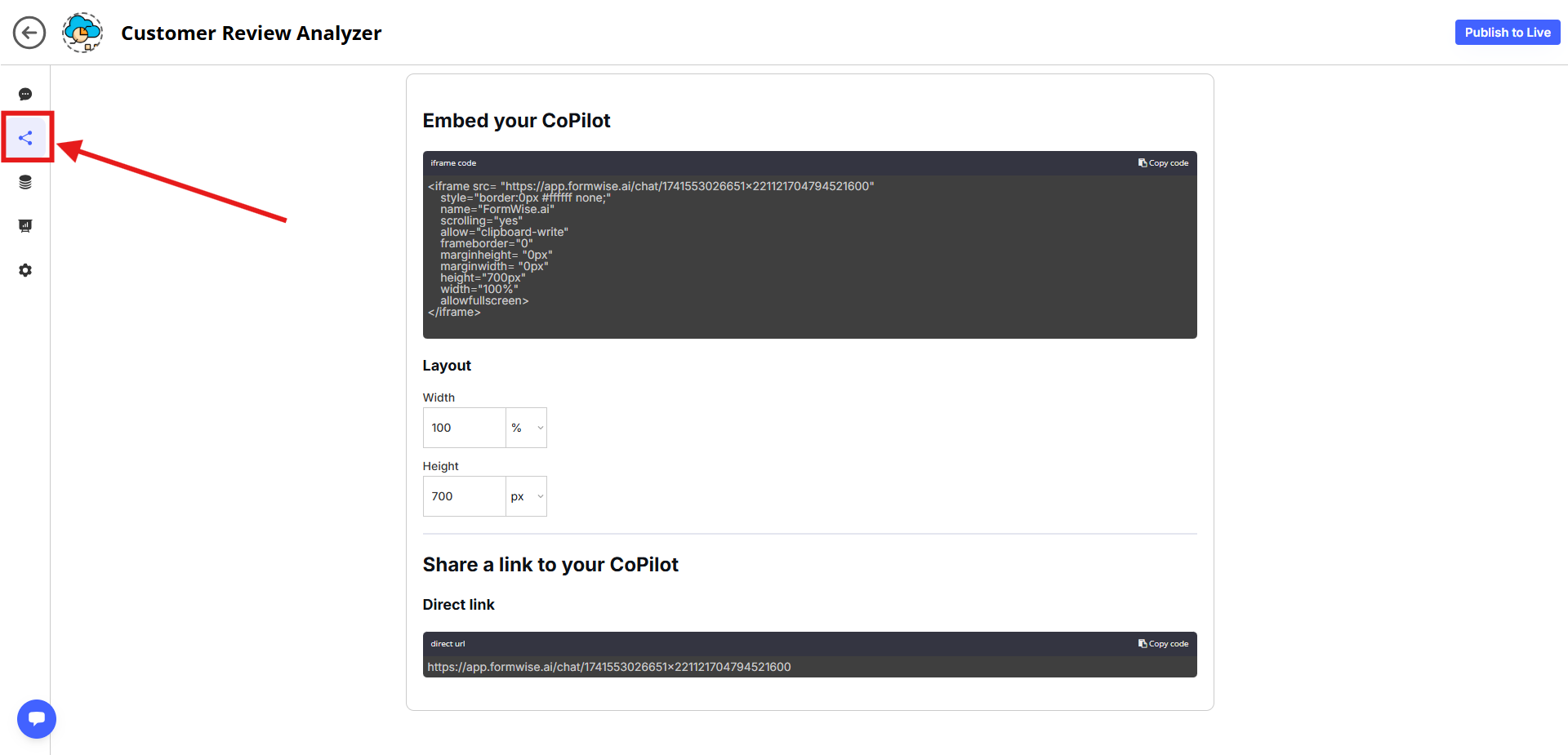
CoPilots
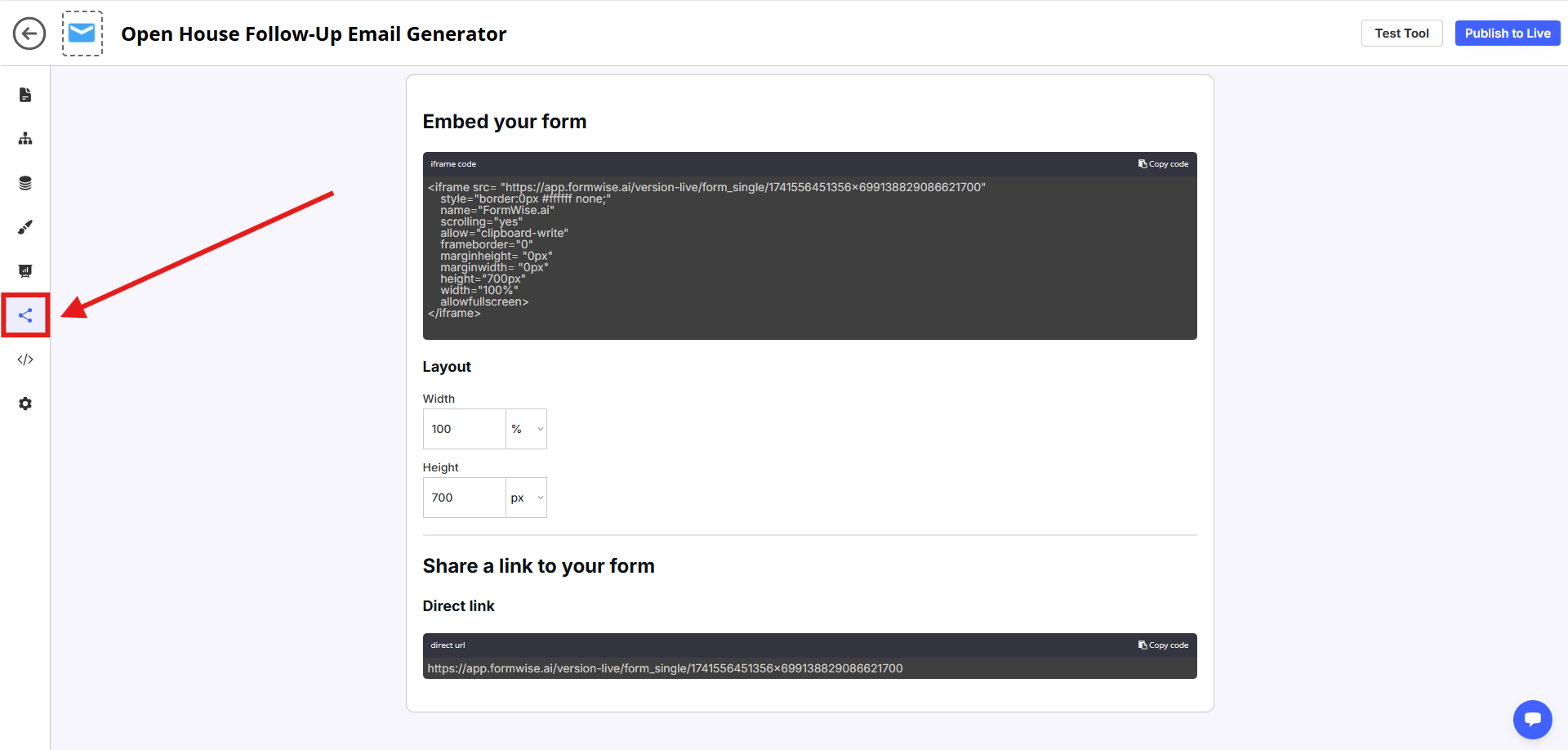
Smartforms
✅ **For SmartForms & CoPilots:**
* Go to the **SmartForm Builder** or **CoPilot Builder**.
* Click on the **"Share" tab** (left-hand menu).
* Copy the **embed code** provided.
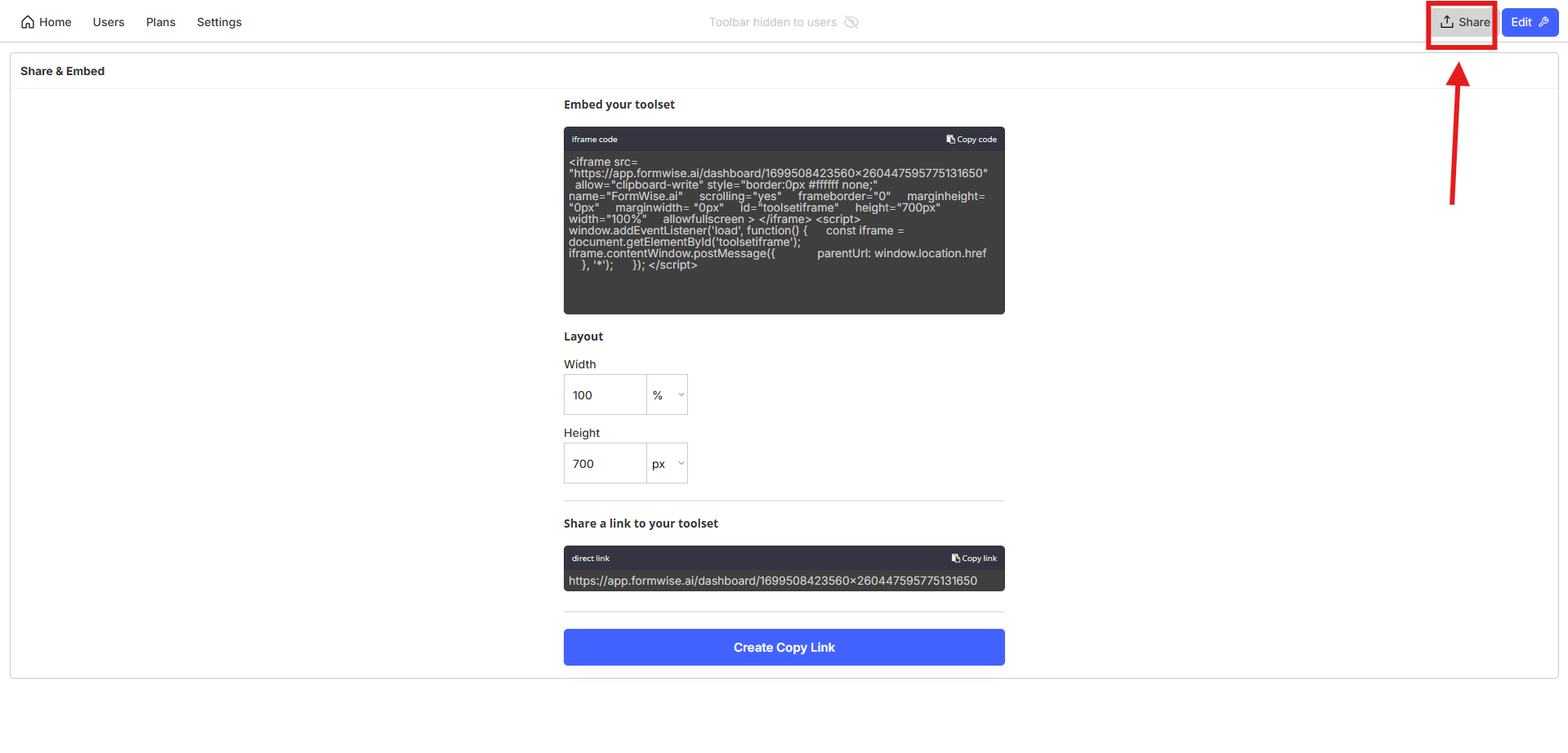
✅ **For Toolsets (Dashboards with Multiple AI Tools):**
* Open the **Toolset Editor**.
* Click on the **"Share" tab** (top-right corner).
* Copy the **Toolset embed code** to integrate the entire dashboard.
***
#### **Where You Can Embed FormWise Tools**
* **Landing pages & websites** (GoHighLevel, WordPress, Webflow, Kajabi, etc.)
* **Client portals & membership sites** (Thinkific, Teachable, Mighty Networks)
* **Internal dashboards** (For team-wide AI tools & automation)
* **Any webpage builder** that supports **HTML embed codes**
To embed, **paste the copied embed code into a rich-text area or custom HTML block** in your preferred platform.
🚀 **Start embedding today and integrate AI into your business effortlessly!**